- 索沛CS1.6论坛 CS反作弊 CS1.6下载 amxx sma插件 cs对战平台 (http://www.sorpack.com/index.asp)
-- Moon.Lords (http://www.sorpack.com/list.asp?boardid=60)
---- TUTORIAL ON METHODS OF DEMO RECORDING (http://www.sorpack.com/dispbbs.asp?boardid=60&id=1315753)
-- 发布时间:2012-07-26 6:21:00
-- TUTORIAL ON METHODS OF DEMO RECORDING
[Tutorial] Ways and methods on demo recording
I\'m making this post for new members who do not know how to capture a demo as they are often bullied by other inconsiderate hacking members of Sorpack. There are several ways that you could capture or record a demo for Counterstrike 1.6 that are 1. Spectate mode, 2. In game and 3. Fraps.
1. Spectate mode demo
To get into Spectator mode, you need to choose \'Spectate\' after joining in the server like in Figure 1.1. Then press \'y\' (say:) and type: menu. \'AMX Mod X Client Menu\' will appear like in Figure 1.2. Select no.8 for /demo (audio and video). A list of players\' names in the server will appear and select the player that you want to record as a demo by pressing the number that the player\'s name is on. After recording the demo you need to put an end to your recording by typing /stop in console (~).
 此主题相关图片如下: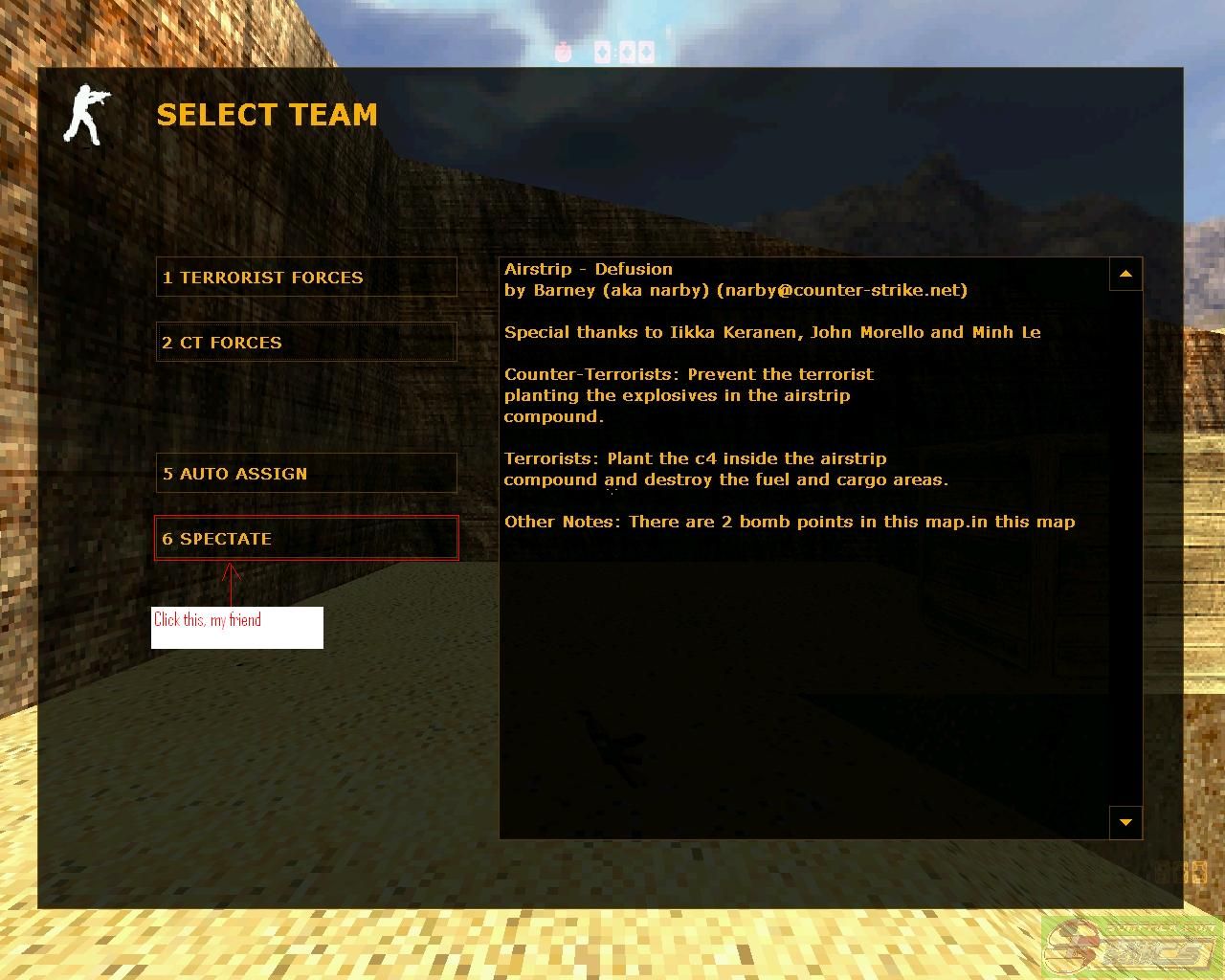
Figure 1.1: Shows choose \'Spectate\' after joining the server
此主题相关图片如下: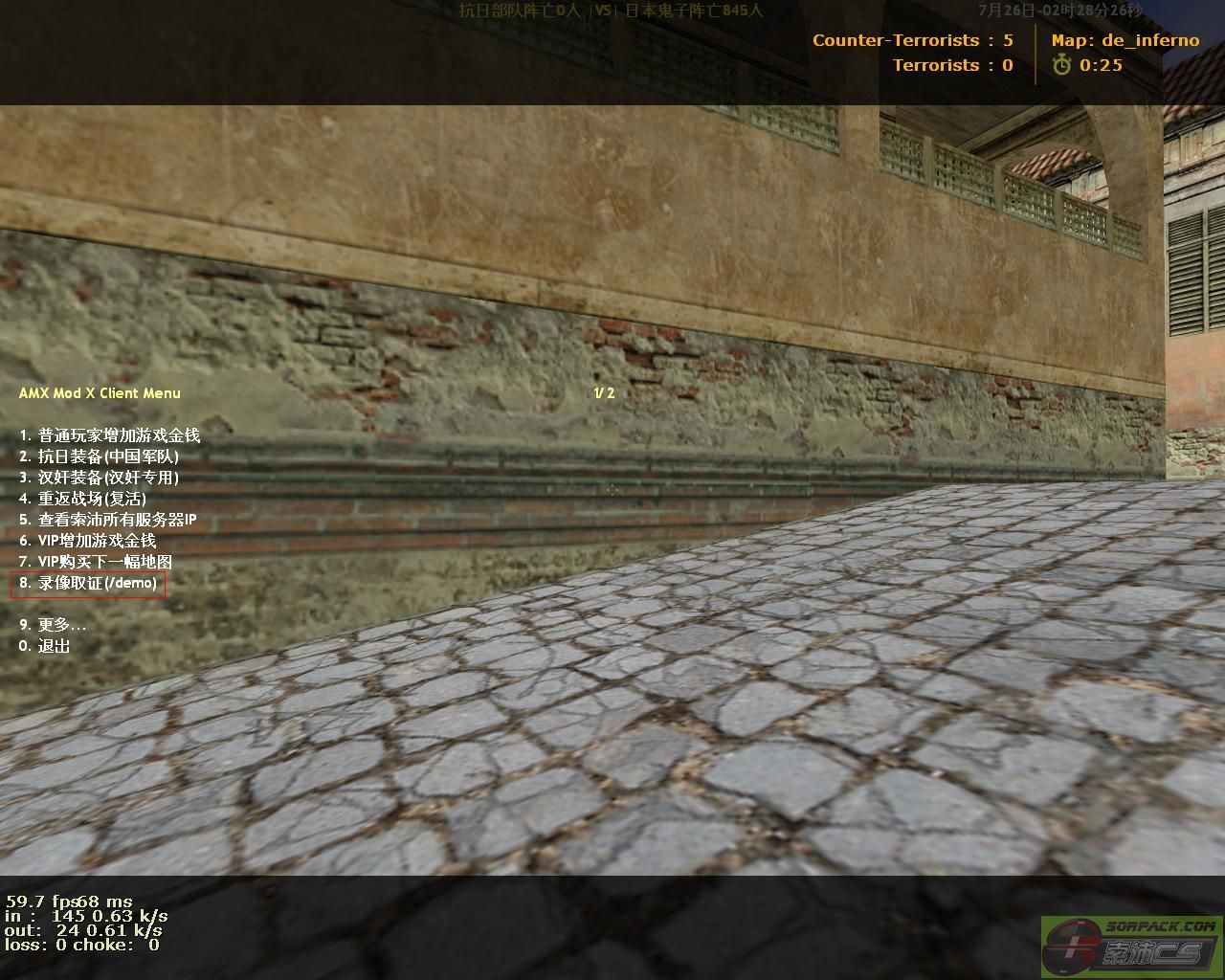
Figure 1.2: Shows AMX Mod X Client Menu
To find your demo file: Go to C: → Program file → CS1.6 → cstrike folder/ cstrike _english or cstrike_schinese.
Your file will have numbers with .dem (demo file format). For example: 20110210103.dem
To play you demo file: launch your CS 1.6 and press console (~). Key in: playdemo (leave a space) and your demo file name and click submit. [Warning: If you are playing the demo on another computer, be sure that you have the map file and other files of your demo on that computer. If you don\'t, an error message will appear telling you that the particular map is not found.
2. In-game demo
To record a demo (audio and video) during game play, you need to press \'H\' on your keyboard and \'in-game list of option\' appear at the left side of your screen like in figure 1.3. Click \'DEMO MENU\' and select \'Record DEMO\' and there will be a text saying record: on your top left screen. Just enter a letter or a number to name your demo then press enter. If you want to end your demo recording, press \'H\' again, go to \'DEMO MENU\' and select \'Stop Record\'.
此主题相关图片如下: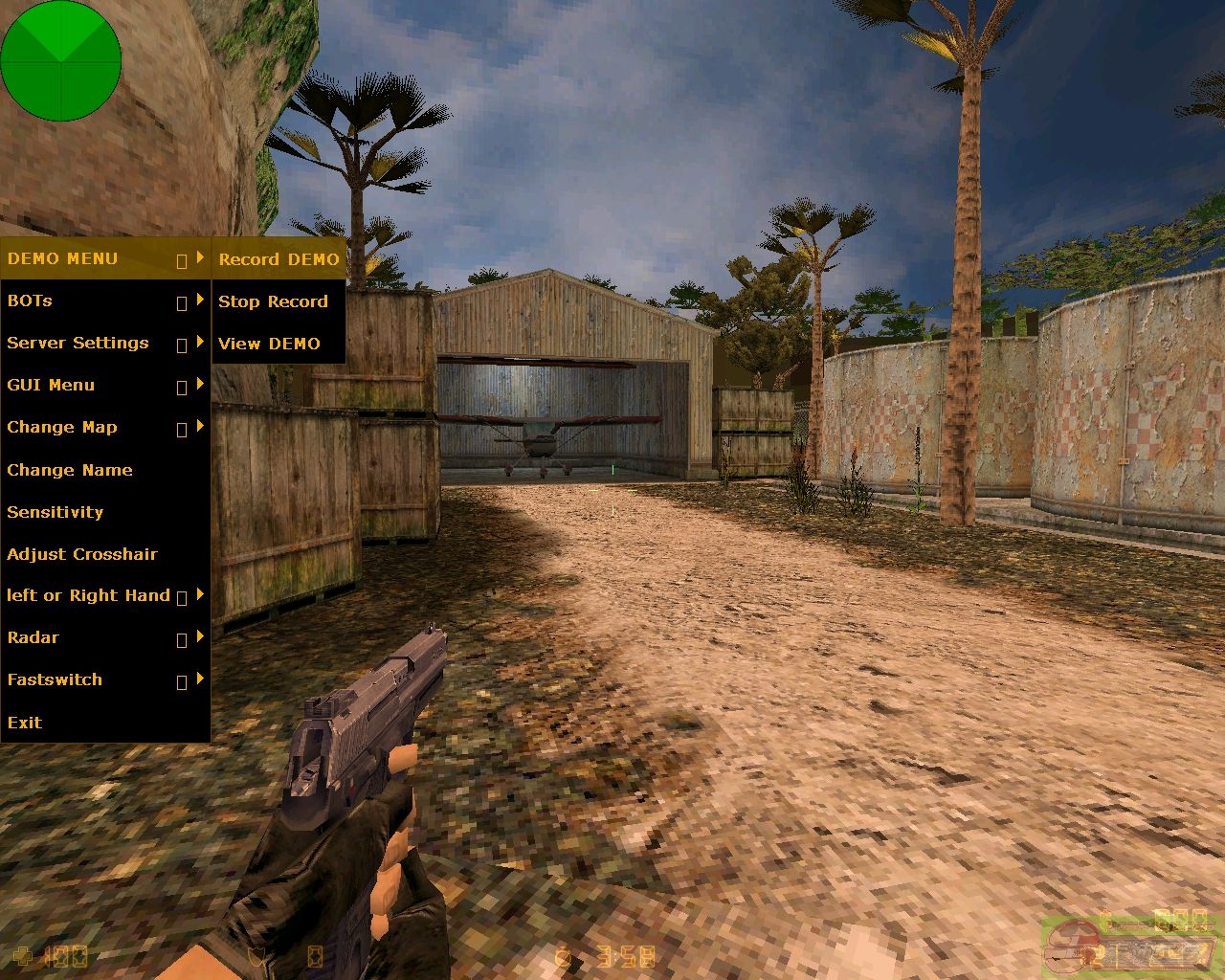
Figure 1.3: Shows In-game list of Option
The demo file could be found in the same place as Spectate mode. In-game demo recording is useful to capture event \'in the act\' which happen directly to you or you witness an event that happened to someone else on your screen. Therefore, this method of demo recording is useful for TK (team kill) demo or if you are killed by using cheat (Speed hack) from other member.
3. Fraps demo
此主题相关图片如下: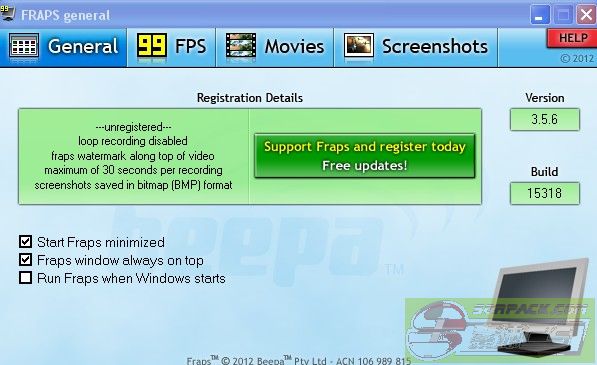
Figure 1.3: FRAPS general option
Fraps is a software more to a \'fun mode\' demo that enable you to capture realtime video both \'Spectate mode\' and \'In game mode\' in .avi format (movie format), enable Sreen capture and also show game fps. The default key for recording a demo is F9 (to stop the demo press F9 again) and F10 is for screenshot (snapshot). You will be able to watch your demo with Window media player, Gom player, Cyberlink player or any other player that accept avi format for maximum of 30 second per recording. The download link for fraps: http://www.fraps.com/download.php or http://www.fraps.com/setup.exe and just install it in your PC.
 此主题相关图片如下:
Figure 1.3: Shows Fraps logo and banner
Your fraps folder could be found in your C: drive. Double click it to view your demo files and snap shots.
The advantage of this software is that you do not need maps file and other resources file to play this demo and furthermore it could be edited easily by using video editing software: (http://video-editing-software-review.toptenreviews.com/) according to your preferences.
TO UPLOAD YOUR DEMO
Post it directly by uploading it in compressed .rar format to Sorpack forum or upload it in good.gd: http://good.gd/.
CONCLUSION
In conclusion, only \'method 1.Spectator mode demo\' and \'method 2.In-game demo\' will be accepted in the \'Complaint report board\' as it is a system demo which are produce by Counterstrike 1.6 build-in software and mechanism which could be found in Sorpack system log files. More information on demo log could be found in SP-Cool Sonia post:
http://sorpack.com/dispbbs.asp?BoardID=60&ID=681186
I hope this tutorial is helpful to all members of sorpack, especially for the new members, to widen up their knowledge on demo functions and I also hope that by this tutorial \'cheating and team killing (TK)\' in Sorpack server will be wipe out for good or at least, be lessen tremendously.
WORD OF ADVICE: “DO NOT USE \'OP FUNCTION\' TO PUNISH OTHER VIPS, IF YOU DO NOT HAVE A DEMO TO BACK YOU UP, MY FRIEND”.
-- 发布时间:2012-07-26 6:21:00
--
Special thanks to SP-Cool Sonia
(Sadam bahi), my brother.
-- 发布时间:2012-07-26 6:34:00
--
Thx

-- 发布时间:2012-07-26 9:33:00
--
Thanks my friend for sharing with us
it\'s very useful
-- 发布时间:2012-07-26 12:01:00
--
good work my friend
-- 发布时间:2012-07-26 12:25:00
--
good work my friend
-- 发布时间:2012-07-26 13:04:00
--
man 88 u rock u have to teach me hw u do so good stuff !
-- 发布时间:2012-07-26 14:38:00
--
THanx Bro


-- 发布时间:2012-07-26 14:40:00
--
Thnks For Shaing Brother...
-- 发布时间:2012-07-26 15:36:00
--
thanks for sharing 88..